SnapAShot - smallest free tool for taking screenshots of different size
SnapAShot, easy FREE screen capture software
SnapAShot
Features
- SnapAShot is the easiest and quickest way to capture screen!
- You don't need to install it, just download portable archive and use Snapa anywhere
- SnapAShot is only 106 Kb (only one file)
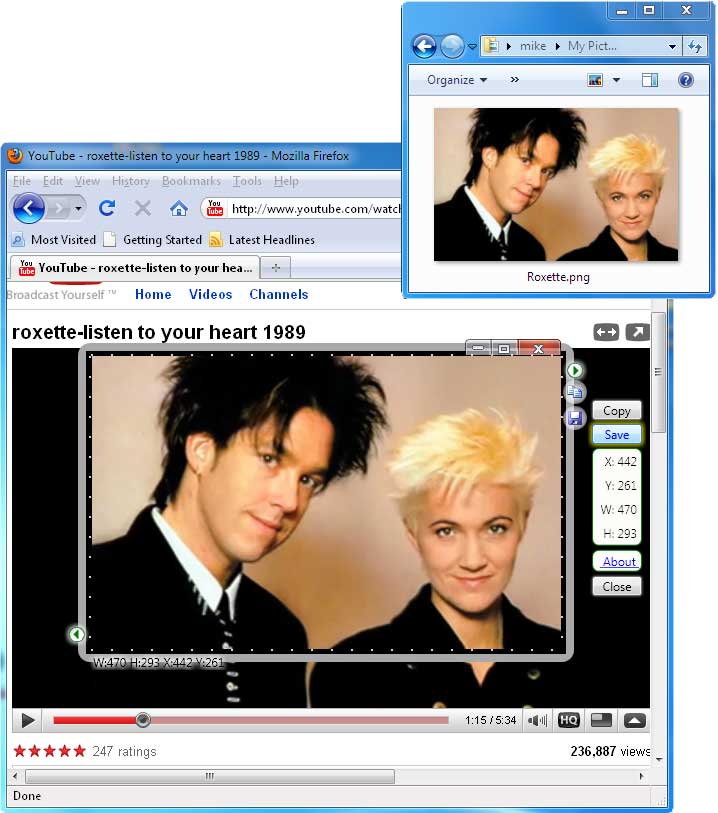
- You can cut variable sized snapshots from any web pages, photos and online videos
- SnapAShot save snaps in 5 graphic formats
- SnapAShot is free screen capture software
SnapAShot Pro
Features
- The main feature of the program is that it can remember (freeze) a part of
the screenshot and after that be in the foreground of the screen even if you
are working with other programs. Thus, the memorized image is always in front
of your eyes.
Moreover, you can run several copies of the program and remember (freeze) several parts of the screen at the same time.
By the way, you can make the program border invisible when frozen and move the memorized parts of the screen to create the necessary compositions and then remember them all together with another copy of the program. - You get full screenshot quality control.
You can change the quality and size of screenshot when saving as JPG (JPEG) file with preview (Options -> File Quality). - You get the ability to change brightness and contrast of screenshot
- Printing, Drag and Drop support
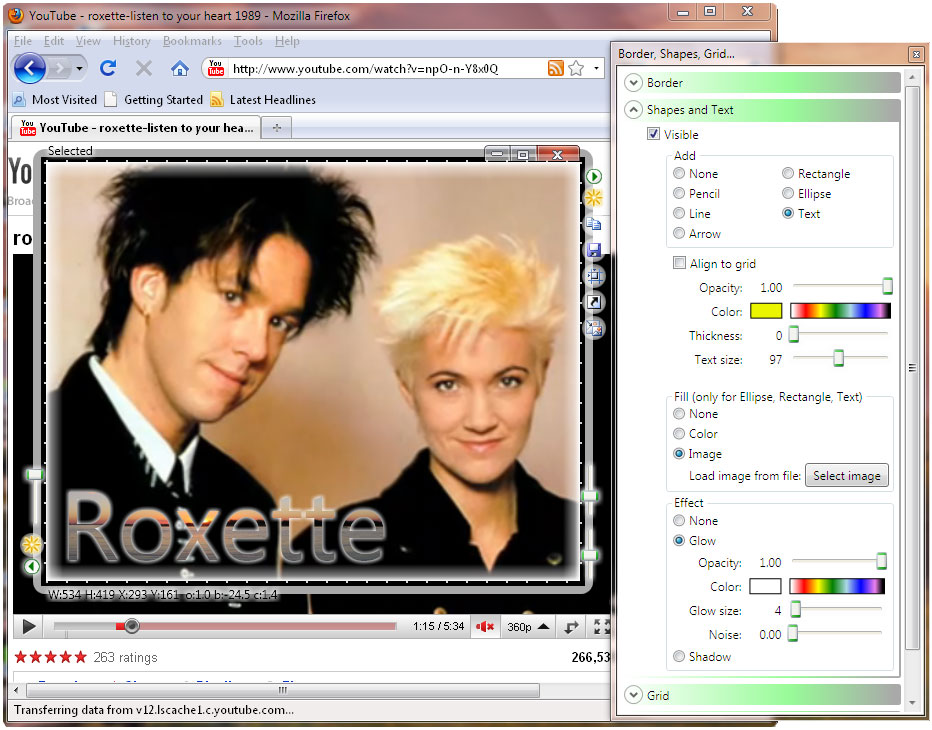
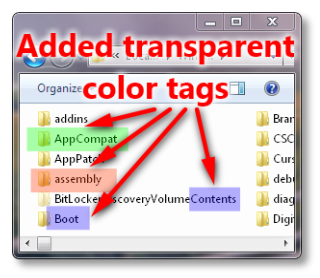
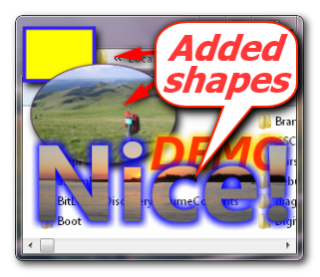
- You can add border, watermark, frames, lines, arrows, images, notes and text on screenshot or any file with image
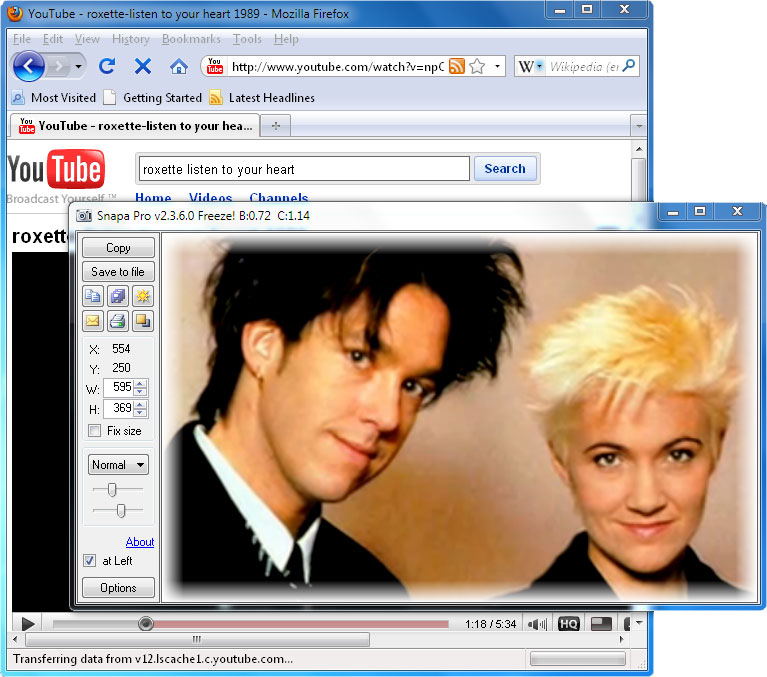
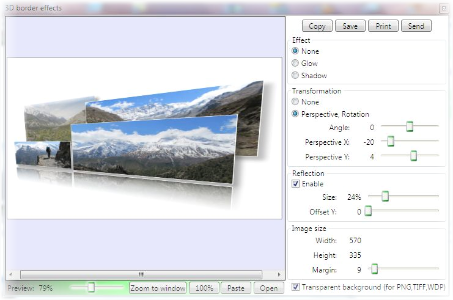
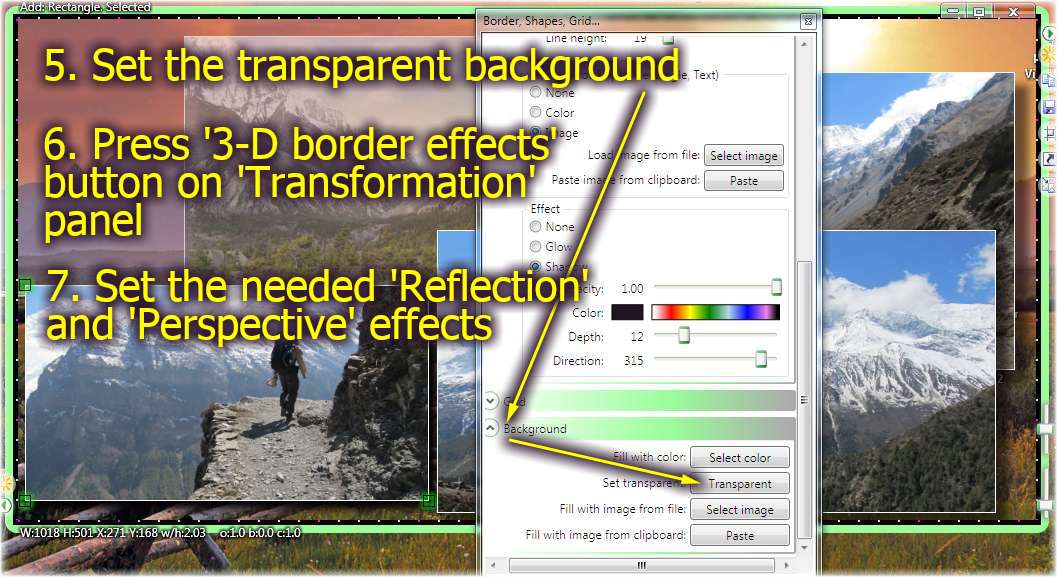
- You can use visual effects for shapes, text, border, watermark
- SnapAShot Pro is only 700 Kb (only one file, don't need to install if use portable archive)
- We provide lifetime support and feedback for all our products
- You can use several SnapAShot Pro in one time (Options -> Allow to run several SnapAShots)
- You can open any image file in SnapAShot Pro - simple drag and drop the file on SnapAShot border
- SnapAShots Pro window border can be hidden if SnapAShot has lost the focus (Options-> General-> Hide SnapAShot border...)
- SnapAShots Pro can take screenshots of windows (in Windows 11, 7) with rounded corners (Shapes-> Border-> Window)
- SnapAShots Pro can take one screenshot of all monitors (Maximize->Ctrl+Copy)
- Since 2026, SnapAShot is a free screen capture software
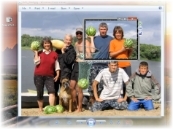
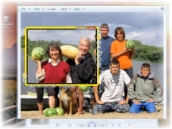
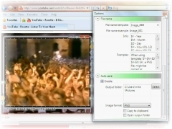
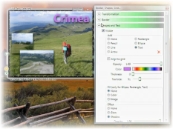
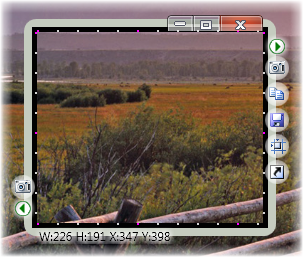
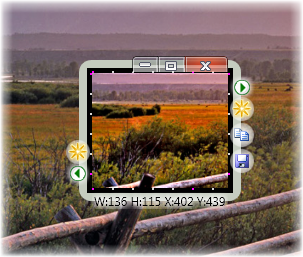
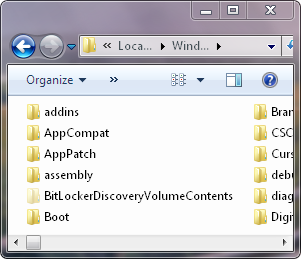
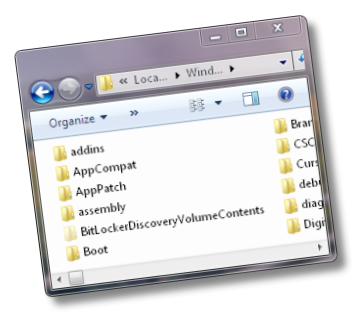
Screenshots. All these images were created with SnapAShot Pro only!

Our happy users
Our Customers









SnapAShot (Pro) system requirements
⛛
SnapAShot (Pro) does not require administrator rights to install.
All our programs have our NiceKit digital signature, but this signature is not verified by Microsoft.
So you can see the warning "Unknown Publisher" when installation of our program starts.
Please select "More Info" and then "Run Anyway" buttons on the Windows SmartScreen protection panel, if the panel appears. We guarantee the absence of malicious code in our programs!


Before installation, you can check the downloaded file with the built-in Windows antivirus. To do this, right-click on the file and select "Scan with Microsoft Defender ..." in the drop-down menu.
FAQ for screen capture software SnapAShot Pro
⛛
- Is it possible to start the program from FLASH drive?
- I downloaded SnapAShot. How do I unzip it? Computer has windows Vista as the operating system.
- Is it possible to work with other programs on PC "through" SnapAShot window?
- How to change brightness and contrast of a screenshot?
- How to quickly set brightness and contrast to default values?
- Why screenshot is white or black?
- Why all screenshots are gray?
- How to rotate (flip...) screenshot?
- How to make screenshot of menus, popup menus (delay capture function)?
- How to add text (line,arrow...) to screenshot? How to edit text?
- How to delete text (line,arrow...) from screenshot?
- How to add image from file to screenshot?
- How to add border with rounded corners?
- How can I select the printer?
- Is it possible to increase (reduce) the size of a screenshot?
- Is it possible to constrain proportions of a screenshot?
- Is it possible to return to original size of a screenshot?
- How to quickly resize to top window on desktop?
- How to open folder with recent saved file?
- How to add my text as watermark to screenshot?
- How to load the image from file to SnapAShot Pro (for brightness and contrast... changes)?
- How to get screenshot of opened window menu or drop down box?
- Do I have to deinstall the program?
- What to do if when the program starts a message like this one "Error at initialization of the address (0*с0000135). For Close press ОК..." appears?
- When I click to drag SnapAShot, I see a box without SnapAShot, what happens?
Answers
SnapAShot Pro
- Is it possible to start the program from FLASH drive?
Yes, it is.
- I downloaded SnapAShot. How do I unzip it? Computer has windows Vista as the operating system.
Please open it with Windows Explorer (right mouse click on SnapaShot.zip-> select "Open with-> Windows Explorer" from popup menu) and copy the file SnapaShot.exe to some folder or desktop.
- Is it possible to work with other programs on PC "through" SnapAShot window?
Yes.
- How to change brightness and contrast of a screenshot?
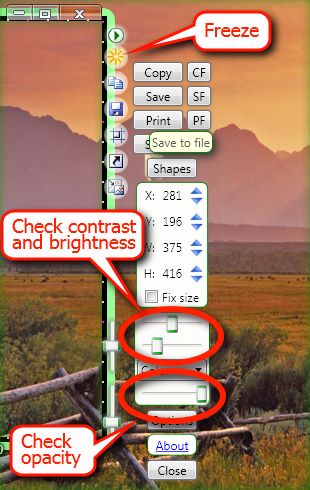
Freeze screenshot using button Freeze/Unfreeze
 . Change brightness and contrast using necessary track bars at right.
If the screenshot size is small, open ShanaShot Control panel and use track bars on it.
 - How to quickly set brightness and contrast to default values?
Dbl-Click the right mouse button on a necessary track bar.
- Why screenshot is white or black?
You should correctly set the brightness, contrast and opacity of the image.
Change brightness and contrast using necessary track bars at right.
If the screenshot size is small, open ShanaShot Control panel and use track bars on it.
Dbl-Click the right mouse button on a necessary track bar. - Why all screenshots are gray?
Please check the brightness and contrast option in SnapAShot. See picture.
All screenshots will use this brightness and contrast. Dbl-click on slider to set it as default. - How to rotate (flip...) screenshot with screen capture software SnapAShot Pro?
Open SnapAShot Control panel
, open Shapes, text, border, transformation panel.
Select needed transformation.
Or you can open context menu (see below) on SnapAShot border (click with right mouse button on it) and select needed transformation.
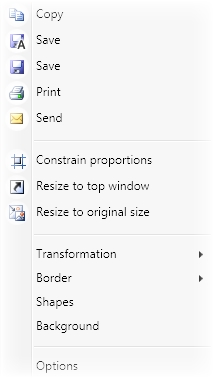
- How to make screenshot of menus, popup menus (delay capture function)?
You can use SnapAShot hot-keys for this (SnapAShot-> Options-> Hot-keys).
By default hot-key Ctrl+Shift+E freezes the picture. Please open needed popup menu and press Ctrl+Shift+E.
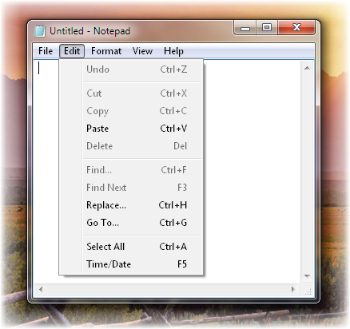
- How to add Text (Line, Arrow...) to screenshot? How to edit text?
Open SnapAShot Control panel
, open Shapes, text, border, transformation panel. On panel Shapes and text check Visible, select Text (Line, Arrow...) as Add mode,
push the right mouse button on screenshot, the new text will be added and Text edit window will be opened.
To start text change double click on text. - How to delete text (line,arrow...) from screenshot?
Click with right mouse button on needed text (line,arrow...) and in opened menu select Delete.
- How to add image from file to screenshot?
Add rectangle (ellipse) to screenshot and select Load image from file on Fill panel.
- How to add border with rounded corners?
Open SnapAShot Control panel
and press button Shapes. On panel Border->Visible->Rectangle-> set needed Radius X and Radius Y.
- How can I select the printer?
In print preview window press button Print... (Printer setup) and in opened window select needed printer.
- Is it possible to increase (reduce) the size of a screenshot?
Yes, it is possible. Press the button Freeze
and stretch a window till it is of necessary size (or open SnapAShot Control panel and press buttons 
 , or use <- -> keyboard buttons + Shift).
 - Is it possible to constrain proportions of a screenshot?
Yes, check buttons Constrain proportions

 at right.
- Is it possible to return to original size of a screenshot?
Yes, press button Resize to original size
 at right.
- How to quickly resize to top window on desktop?
Press button Resize to top window

- How to open folder with recent saved file?
Click with right mouse button on Save button and select command Open folder with recent saved file from opened context menu.
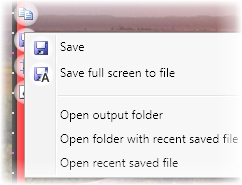
- How to add my text as watermark to screenshot?
Open SnapAShot Control panel
, open Options panel. Add needed text on panel Watermark. Select needed visual effect for it. - How to load the image from file to screen capture software SnapAShot Pro (for brightness and contrast... changes)?
Open SnapAShot Control panel
, open Shapes, text, border, transformation panel. On panel Background select Fill with image from file. - How to get screenshot of opened window menu or drop down box?
Open SnapAShot around needed window (can use button Resize to top window
). Open menu in needed window (or drop down box) and
press SnapAShot hot-key for getting screenshot (command Freeze/Unfreeze ).
Please check, SnapAShot hot-keys should be activated (Snapa ->Options ->Hot-Keys ->Enable, for activate: close Snapa using command Exit in tray menu and run Snapa again) - Do I have to deinstall the program?
No, simply remove the program file.
- What to do if when the program starts a message like this one
"Error at initialization of the address (0*с0000135). For Close press ОК..." appears?
Such message appears when the Microsoft .NET 2.0 package isn't installed on PC.
- When I click to drag SnapAShot, I see a box without SnapAShot, what happens?
Please open in Windows panel "Performance Options, Visual Effects" (Computer-> Right mouse click-> Properties-> Advanced system settings -> panel System Properties, Advanced-> button Settings... on panel Performance - panel Performance Options, Visual Effects) and check option "Show window contents while dragging". These options should be enabled.